
You can reset your Osortoo password from your account settings.
The steps below explain how to change your password once you are logged in.
Steps to reset your password
1. Log in to your Osortoo account
Enter your email and current password on the login page.
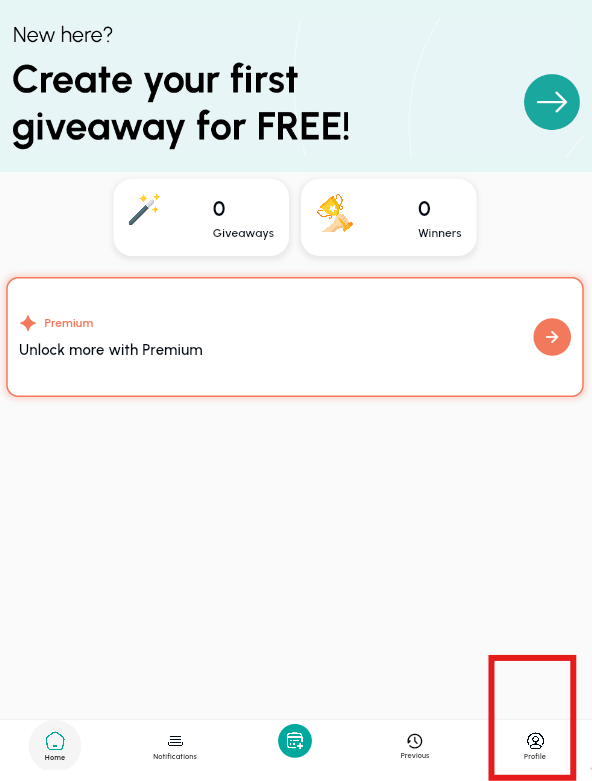
2. Open your profile settings
Click your name or profile picture in the bottom-right corner of the screen.
Select My Profile.
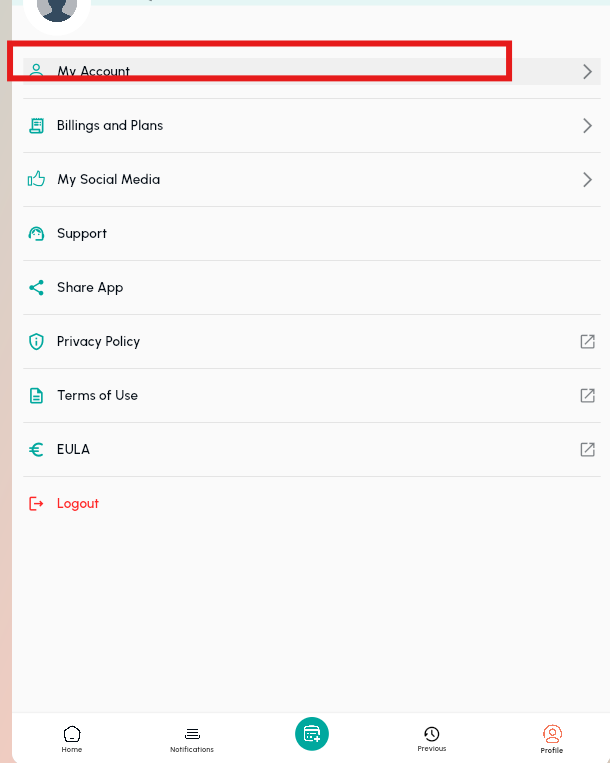
3. Go to “My Account”
Once inside your profile, click My Account to access your account settings.
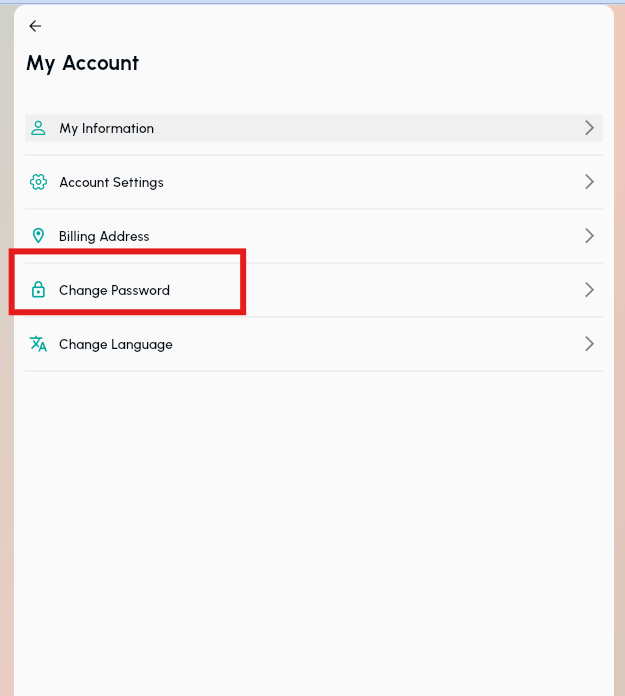
4. Open the “Change Password” tab
Select the Change Password option.
5. Create your new password
Enter your current password, then type the new password you want to use.
Confirm the change.
Your password is now updated and you can use it the next time you log in.
Notes
- Make sure your new password is secure and easy to remember.
- If you cannot log in at all, use the Forgot Password link on the login page instead.
Summary
Log in, open your profile, access your account settings, and change your password from the Change Password tab.
Was this article helpful?
YesNo